
Guide
JPEG metadata explained
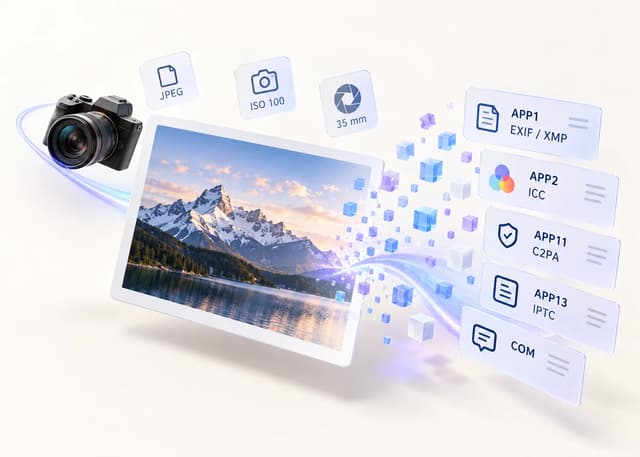
JPEG is the most widely supported photo format, and it is also the one that carries the most kinds of metadata. Its segments can hold camera settings, editing history, colour profiles, copyright and C2PA provenance.
How to use it
- 1Add the JPEG to a scanner such as MetaRase and read the report.
- 2Look for EXIF, GPS, XMP, IPTC, ICC, comment or C2PA indicators.
- 3Rebuild the image to export a fresh JPEG without those segments.
- 4Re-scan the output to confirm the metadata is gone.
Where JPEG metadata lives
A JPEG is a stream of marker segments, and metadata sits in the ones before the compressed image data.
| Segment | Typical content |
|---|---|
| APP1 | Exif (camera, GPS) and XMP |
| APP2 | ICC colour profile and MPF multi-picture index |
| APP11 | C2PA / JUMBF provenance |
| APP13 | Photoshop resources and IPTC |
| APP14 | Adobe transform marker |
| COM | Free-text comment |
What a JPEG can reveal
Because JPEG supports so many segments, a single file can describe the camera and lens, the exposure settings, when and where the photo was taken, the software used to edit it, a thumbnail of an earlier version, and whether AI was involved.
Why JPEG carries the most metadata
JPEG has been the default photo format for decades, so tooling accumulated around it. Cameras, phones and editors all write what they can, and the format has room for it.
How to remove JPEG metadata
Rebuilding the image from decoded pixels exports a new JPEG with none of the original segments. MetaRase does this locally in your browser and scans the output again so you can confirm the result.
What stays in the picture
Anything drawn into the pixels stays, including visible watermarks and the scene itself. Metadata removal does not edit the content of the photo.
Lossless or rebuilt?
MetaRase can rebuild the image (fresh pixels) or, where supported, keep the pixels and strip container metadata. For JPEG the common choice is a high-quality rebuild; pick lossless when you need the pixels to stay byte-identical.
Frequently asked questions
Does every JPEG have EXIF?
Most camera and phone JPEGs do, but images that were screenshotted or heavily processed may carry little.
Which JPEG metadata is most sensitive?
Usually GPS location and the original timestamp, and sometimes a camera serial number.
Can removing JPEG metadata change quality?
Only through re-encoding. Choose a high quality setting or a lossless mode where available.
Does it remove the embedded thumbnail?
Yes. An embedded EXIF thumbnail is part of the metadata block and is dropped when the image is rebuilt.
Is orientation preserved?
MetaRase decodes the image with its orientation applied, so the rebuilt file stays upright without the tag.
Is my photo uploaded?
No. Scanning, cleaning and verification run locally in your browser.
Sources
Inspect, clean, and verify in your browser
Your image bytes never leave your device. MetaRase rebuilds the image locally, then scans the output again before you download it.
Open the cleanerRelated pages
Results describe supported embedded indicators only and cannot guarantee how a platform will classify an image.