
Guide
WebP metadata explained
WebP is a modern image format that keeps files small, which makes it popular on the web. It also uses a container that can carry the same kinds of metadata as its older relatives.
How to use it
- 1Add the WebP to a scanner and read the report.
- 2Look for EXIF, XMP, ICC or C2PA indicators.
- 3Rebuild the image to export a fresh WebP without those chunks.
- 4Re-scan the output to confirm the metadata is gone.
Where WebP metadata lives
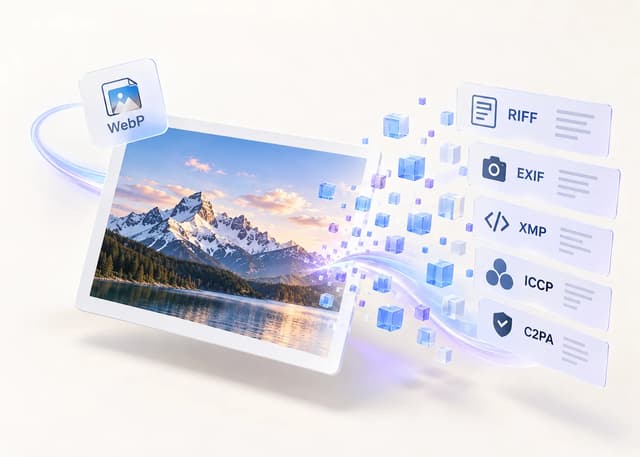
WebP is a RIFF file, so its metadata sits in chunks inside the container.
| Chunk | Typical content |
|---|---|
| EXIF | Camera and GPS data |
| XMP | Editing and workflow text |
| ICCP | ICC colour profile |
| C2PA | Provenance container |
What a WebP can reveal
WebP files exported from editors often carry XMP history, and some AI tools write C2PA provenance. A WebP converted from a camera photo can inherit EXIF and GPS.
Compact and web-friendly
WebP keeps files small, so it is a good output choice when you want to publish without the metadata. Rebuilding from pixels produces a fresh container.
How to remove WebP metadata
Rebuilding the image from decoded pixels exports a new WebP without the original chunks. MetaRase does this locally and scans the result to confirm the change.
Browser support
WebP is supported in all modern browsers, which makes it easy to use as a cleaned output format for the web.
Frequently asked questions
Does WebP support EXIF?
Yes. WebP has an EXIF chunk for camera and location data.
Can WebP carry C2PA?
Yes, some tools write a C2PA provenance chunk into WebP files.
Is WebP lossy or lossless?
It supports both; MetaRase lets you choose quality when rebuilding.
Will the image look different after cleaning?
The scene is re-encoded but otherwise unchanged.
Is WebP widely supported?
Yes, all modern browsers can display WebP.
Is my image uploaded?
No. Everything runs locally in your browser.
Sources
Inspect, clean, and verify in your browser
Your image bytes never leave your device. MetaRase rebuilds the image locally, then scans the output again before you download it.
Open the cleanerRelated pages
Results describe supported embedded indicators only and cannot guarantee how a platform will classify an image.